
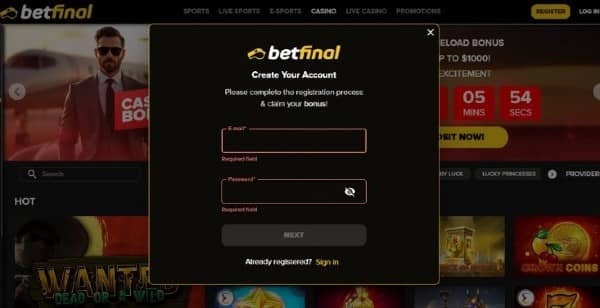
How to Log In to Your Betfinal Account
Logging in should be the simplest part of using Betfinal. This page covers the login steps for desktop, mobile browser, and the app, the most common problems players run into when something does not work as expected, how to fix each of them, and the basic security habits that make a meaningful difference for any account tied to real money. For security reasons, account and login forms are not hosted on this page. Use the official login link on the Betfinal platform to sign in directly.
How to Log In
The standard Betfinal login process is the same across desktop, mobile browser, and the app, and it takes under a minute when credentials are correct and to hand.
Navigate to the official Betfinal login page through the main platform. Enter the email address or username registered to the account when it was created. Enter the password associated with that email or username. Complete any two-factor authentication step if it has been enabled on the account — this will prompt for a verification code sent to the registered contact method. When credentials are accepted, the account dashboard opens immediately, giving access to the casino, live casino, sportsbook, cashier, active bonuses, and all account management functions.
If the login does not proceed after submitting correct credentials, the sections below cover the most common causes and the resolution for each.
Common Login Issues and Fixes
Most Betfinal login problems belong to a small number of identifiable categories, each with a clear resolution. Working through them in order resolves the issue for the majority of players without requiring customer support contact.
Forgotten Password
The forgotten password option on the Betfinal login screen sends a reset link to the email address registered to the account. Click the link as soon as it arrives — reset links carry an expiry window and stop working after it closes, which requires starting the reset process again from scratch. If the email does not appear within a few minutes of the request, check the spam and junk folders before submitting a second request. Submitting multiple reset requests in quick succession can sometimes invalidate earlier links, so allowing a few minutes before re-requesting is worth doing.
Email Not Verified
New Betfinal accounts require email address verification before the first login becomes available. If the original verification email cannot be located, the login or registration screen on the Betfinal platform allows a new verification email to be requested. Check spam and junk folders for the original before requesting a resend, as these emails are sometimes filtered by providers that apply aggressive spam classification to unfamiliar senders.
Account Locked or Restricted
Betfinal accounts are temporarily locked after a defined number of consecutive failed login attempts. This is a standard automated security measure used across regulated betting and casino platforms to prevent unauthorised access attempts — it is not specific to Betfinal. If the account is locked, contacting Betfinal customer support directly is the correct next step rather than continuing further login attempts, since repeated failed attempts can extend the lock duration. Support can confirm the account status and guide the unlock process.
Login Works on Browser but Not the App, or the Reverse
When login works on one access method but not another, the issue almost always lies with the app version or browser cache rather than the account itself. For the app, checking that it is updated to the current version resolves this in the majority of cases — older app versions can lose compatibility with updated platform authentication systems. For the browser, clearing the cache and cookies removes stored data that may conflict with the current login page and resolves most browser-side login failures. Trying a private or incognito browsing window is a faster first test that bypasses cached data without requiring a full cache clear.
Correct Details but Still Unable to Log In
A situation where credentials are definitely correct but the login still does not proceed can occur after a recent password change that has not yet been applied across all active sessions, after a security review on the account, or during a temporary platform-side issue. Betfinal customer support can confirm which of these applies to the specific account and resolve or advise on the appropriate next step directly.
Logging In on Mobile
The Betfinal account works identically across the mobile browser and the Betfinal Android app — the same email address or username and the same password authenticate on both without any separate setup required. Players who have just installed the Betfinal app should ensure they are signing in with the credentials from the original account registration rather than creating a second account, as duplicate registrations can cause complications with both account access and any associated bonus eligibility.
iOS players access the full Betfinal platform through Safari and other mobile browsers on iPhone and iPad. The same registered credentials authenticate on iOS mobile browser as on desktop — no separate account is needed, and the complete casino, live casino, sportsbook, cashier, and account management tools are all accessible immediately after successful mobile login. Adding Betfinal to the iOS home screen via the Share menu in Safari creates a one-tap launch shortcut that opens the platform directly without navigating through a browser tab each time.
Android players who prefer browser-based access can add Betfinal to the Android home screen through the browser menu, creating the same type of direct launch shortcut. Android players who prefer the native app experience can download the Betfinal APK directly from the platform — the app uses the same registered credentials without requiring a separate account.
Account Security Basics
Account security for any platform tied to real money is worth treating as a consistent habit rather than a one-time setup. A small number of practices make a meaningful difference in protecting a Betfinal account from unauthorised access.
Using a password that is not reused from any other service removes the most common real-world account compromise pathway — if a password used on Betfinal also appears in a data breach from another service, the Betfinal account becomes vulnerable through no fault of the platform’s own security. Enabling two-factor authentication on the Betfinal account if it is available adds a layer of protection that makes unauthorised access practically very difficult even when a password has been compromised elsewhere.
Avoiding login on public or unsecured Wi-Fi networks where possible reduces exposure to connection-level interception risks for any account where financial data is involved. When using a shared or public device, logging out fully after the session rather than staying signed in prevents the session from remaining accessible to whoever uses the device next. These practices are not specific to online casino accounts — they apply to any account where real money is involved, including banking and payment platforms.
Frequently Asked Questions
Where do I log in to my Betfinal account?
Through the official login page on the main Betfinal platform. This page provides login guidance and troubleshooting information, not a login form itself. Use the login button on the Betfinal platform directly to access your account.
I forgot my password. What do I do?
Use the forgotten password option on the Betfinal login screen. A reset link is sent to the email address registered to the account — follow it promptly as it carries a defined expiry window. Check spam and junk folders if the email does not arrive within a few minutes before submitting a new request.
Why is my account locked?
Betfinal accounts are temporarily locked after multiple consecutive failed login attempts as a standard automated security measure. This is common across regulated betting and casino platforms. Contact Betfinal customer support directly if this happens rather than continuing further attempts, since repeated failures can extend the lock period. Support can confirm the account status and guide the unlock process.
Can I use the same login for the app and the website?
Yes. The Betfinal account works across both the Android app and the mobile and desktop browser using the same registered email address or username and password. No separate registration is required for app access — signing in with existing credentials is all that is needed.
I verified my email but still cannot log in. Why?
This is usually a temporary platform-side issue, a password mismatch from a recent change, or a security review on the account rather than a lasting access problem. Betfinal customer support can check the specific account status directly and confirm what is required to resolve it.
Is it safe to log in on public Wi-Fi?
It is generally best avoided for any account tied to real money. Public and unsecured networks carry elevated interception risks for any login session involving financial data. If access on a public network is necessary, avoid saving credentials on shared devices and log out fully when the session is complete.
Do I need two-factor authentication to log in?
Two-factor authentication is not always required to log in, but enabling it where available on the Betfinal account adds a meaningful additional layer of protection. It makes unauthorised access to the account practically very difficult even if the account password has been compromised through a breach on another service.